Integrations
elDoc provides the ability to integrate with external services in order to extend document workflows and automate business processes.
Once an integration is configured and enabled, it can be used directly within elDoc workflows.
Vchasno integration
This section describes how to use the Vchasno integration. The Vchasno integration allows documents to be sent from elDoc to the Vchasno platform for electronic signing by one or more organizations.
Before using the integration in workflows, ensure that it is properly configured and enabled in System Settings → Integrations. Without an enabled integration, signing via Vchasno will not be available in workflows.
1. Prerequisites
Before sending documents to Vchasno for signing, the following conditions must be met.
1.1. CRM Organization Setup
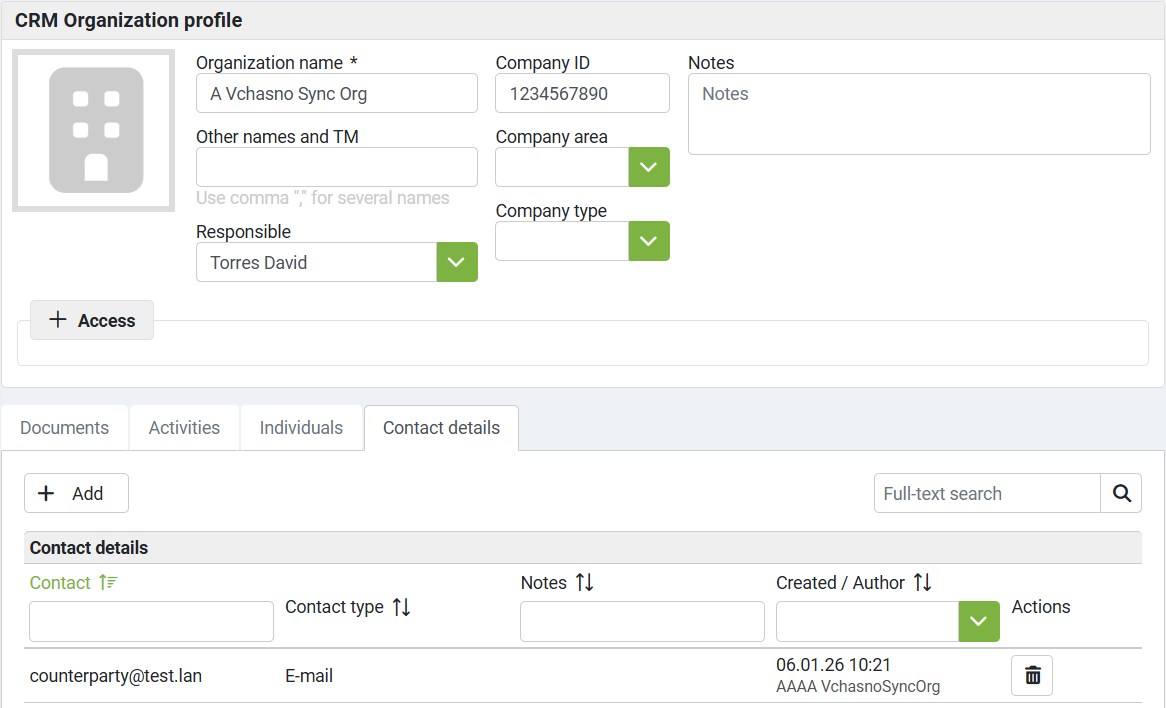
Counterparty CRM Organization must be present in CRM module and correctly configured:
A CRM Organization with a defined EDRPOU and email address, or;
A CRM Organization with a defined EDRPOU, which has an associated individual (person) with a defined email address.
The email address is required because Vchasno uses it to identify signing participants.
2. Sending Documents for Signing via Vchasno
2.1. Signing Workflow Phase
Sending documents to Vchasno for signing is available during the Signing workflow phase.
When a document reaches this phase, elDoc allows you to define which organizations must sign the document via Vchasno.
2.2. Adding Signing Participants
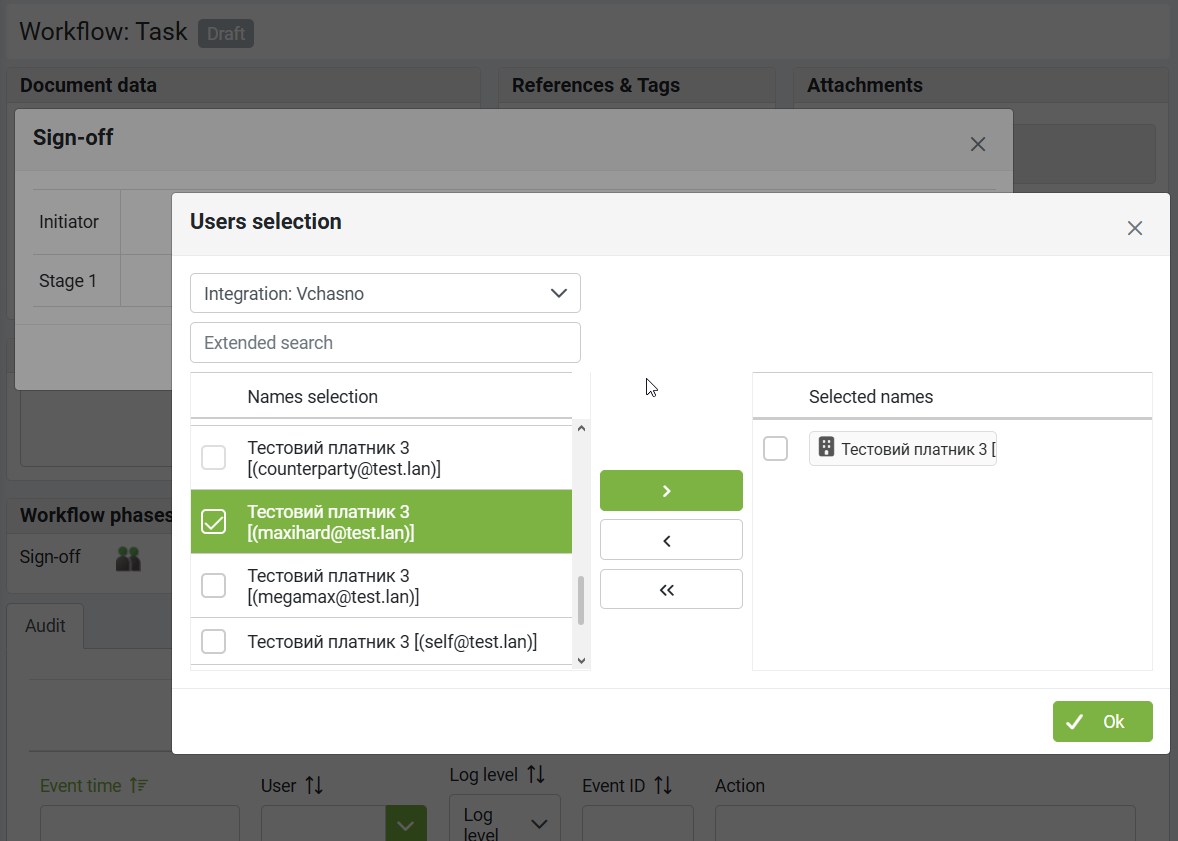
When adding users or organizations for signing:
Change the directory type to
Integration: VchasnoFrom the list, select the required organizations, names, and email addresses
Add the selected entries to the workflow step
2.3. Required Organizations for Signing
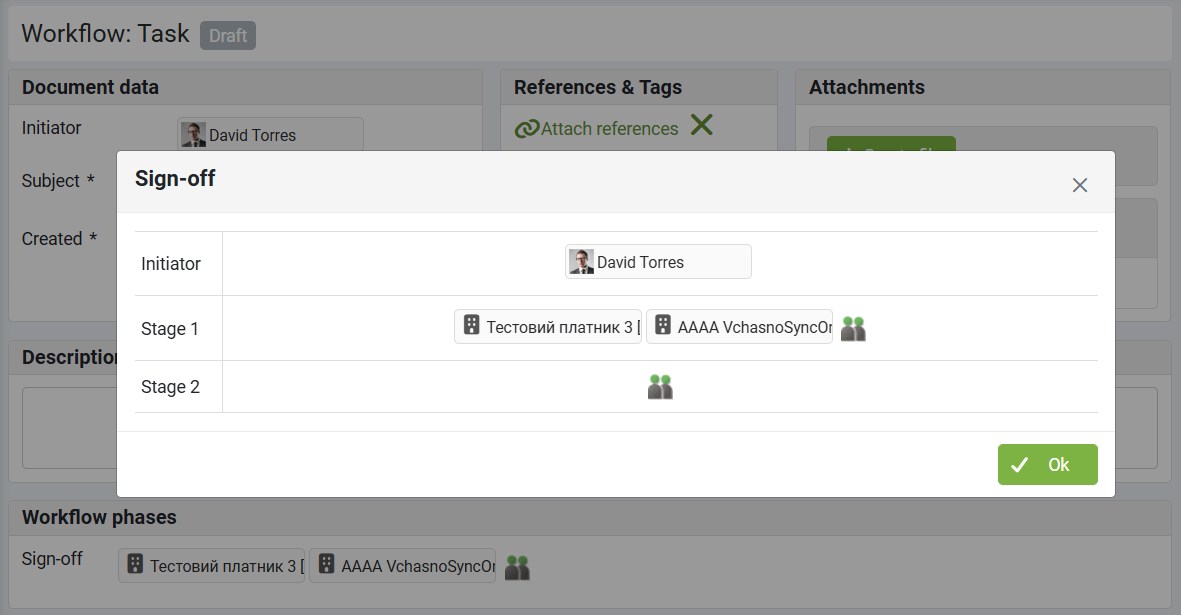
To enable signing between two parties via Vchasno:
Add your own organization, and
Add the counterparty organization
Both organizations must be explicitly included to allow signing on both sides.
2.4. Signing Order and Workflow Logic
The order in which organizations are added to the workflow determines how signing is performed.
Parallel Signing
If both organizations are added within the same workflow step, the document is sent to Vchasno and both organizations are required to sign in parallel.
Sequential Signing
If the counterparty organization is added first, and your own organization is added in the next workflow step:
The document is sent to Vchasno for signing by the counterparty first
After the counterparty signs, signing by your organization is required
If your own organization is added first, and the counterparty is added in the next workflow step:
Your organization signs the document first via Vchasno
The document is then sent to the counterparty for signing
This allows flexible control over the signing sequence according to business requirements.
Summary
To use the Vchasno integration effectively:
Ensure CRM organizations are correctly configured with EDRPOU and email
Enable and configure the Vchasno integration
Use the Signing workflow phase to send documents for signing
Select participants using Integration: Vchasno
Carefully define workflow steps to control parallel or sequential signing
Last modified: February 18, 2026