Integrations configuration
The Integrations section allows you to configure and manage connections between elDoc and external third-party services.
To open this page, navigate to: System Settings → Integrations
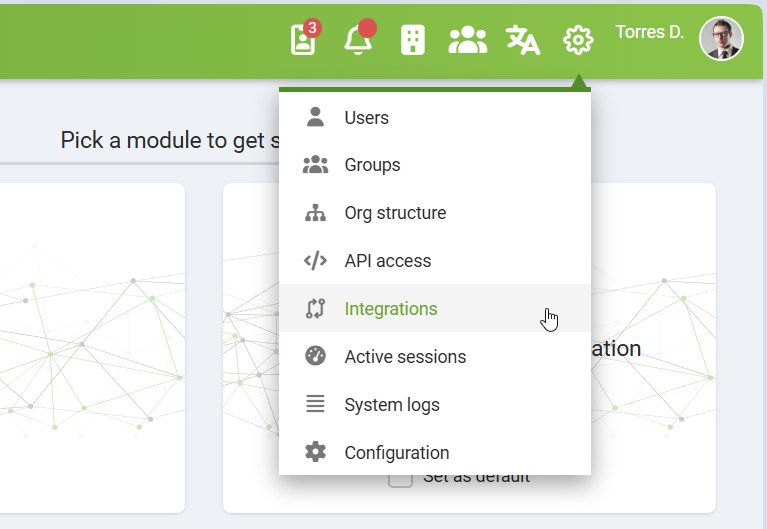
On this page, you can view the status of available integrations, configure access credentials, and monitor synchronization activity.
Currently, elDoc supports integration with the Vchasno service.
Vchasno Integration
Vchasno is a Ukrainian service used for electronic document signing and secure document exchange.
When enabled, the Vchasno integration allows elDoc to synchronize documents and related metadata with the Vchasno platform.
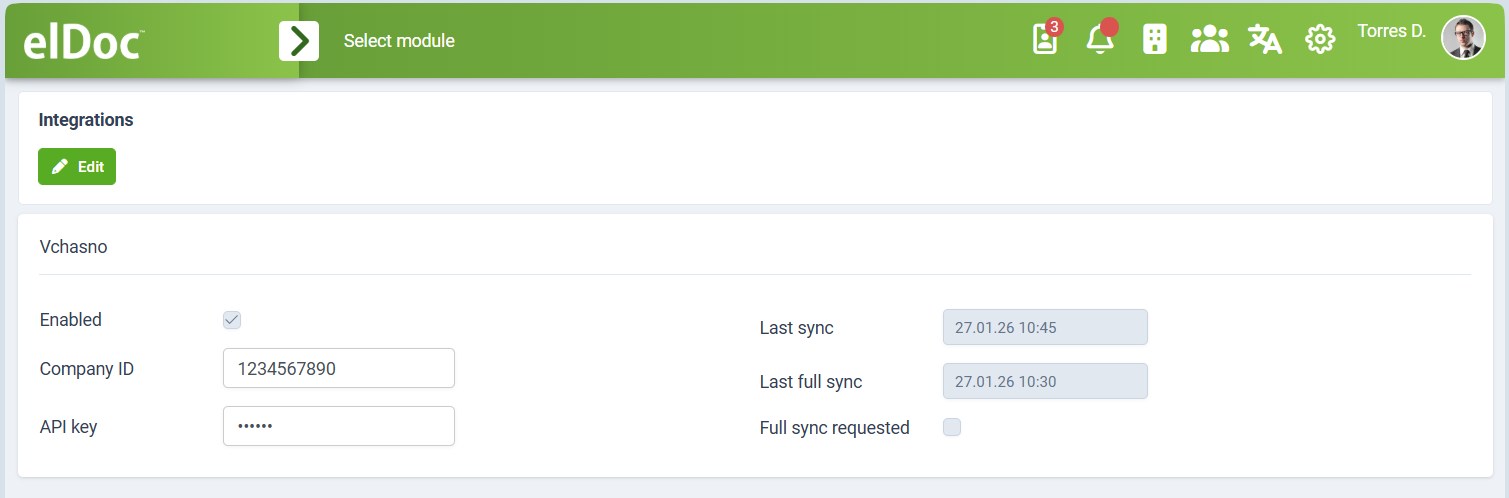
Synchronization Settings and Status
The following settings are available for the Vchasno integration:
| Setting/field | Description |
|---|---|
| Enabled | Enables or disables the Vchasno integration.
|
| Company ID | The unique company identifier: EDRPOU (Unified State Register of Enterprises and Organizations of Ukraine), assigned to every company or private entrepreneur in Ukraine.
|
| API Key | The API key used to authenticate requests from elDoc to the Vchasno service.
|
| Last Sync | Shows the date and time of the most recent incremental synchronization operation with Vchasno.
|
| Last Full Sync | Shows the date and time of the last full synchronization.
|
| Full Sync Requested | A control flag used to request a full synchronization.
|
Editing Integration Settings
To modify Vchasno integration settings:
Click Edit on the Integrations page.
Update the required fields (Enabled, Company ID, API Key). Note: CRM Organization with the given Company ID must be created prior enabling Vchasno integration.
Save the changes. System performs validation of the provided API Key and will save enabled integration only in case API Key is valid.
Changes take effect immediately after saving.
IMPORTANT: First synchronization always performs full-sync and downloads all documents from Vchasno service. Due to rate limits applied by Vchasno service - first full sync may require several attempts (handled automatically by the system).
Notes and Recommendations
Ensure that the Company ID and API Key are correct and valid before enabling the integration.
Use Full Sync Requested only when necessary (for example, due to data inconsistencies), as a full sync may take longer than a regular synchronization.
Synchronization timestamps are provided for monitoring and troubleshooting purposes.
Automatic Resources Created by the Vchasno Integration
When the Vchasno integration is enabled, the system automatically provisions the required internal resources needed for document synchronization and display.
These resources are created as part of the integration setup process and ensure that synchronized documents are handled consistently within the system.
One-Time Automatic Creation
The automatic resource creation is performed only once, at the moment the Vchasno integration is enabled for the first time.
If the integration is later disabled and re-enabled, the system does not recreate these resources.
Existing resources are reused to prevent duplication, data loss, or configuration conflicts.
Manual deletion or modification of these resources may cause the integration to work incorrectly and is not recommended.
This behavior ensures stability and preserves any customizations or references that may rely on these resources.
Created Workflow
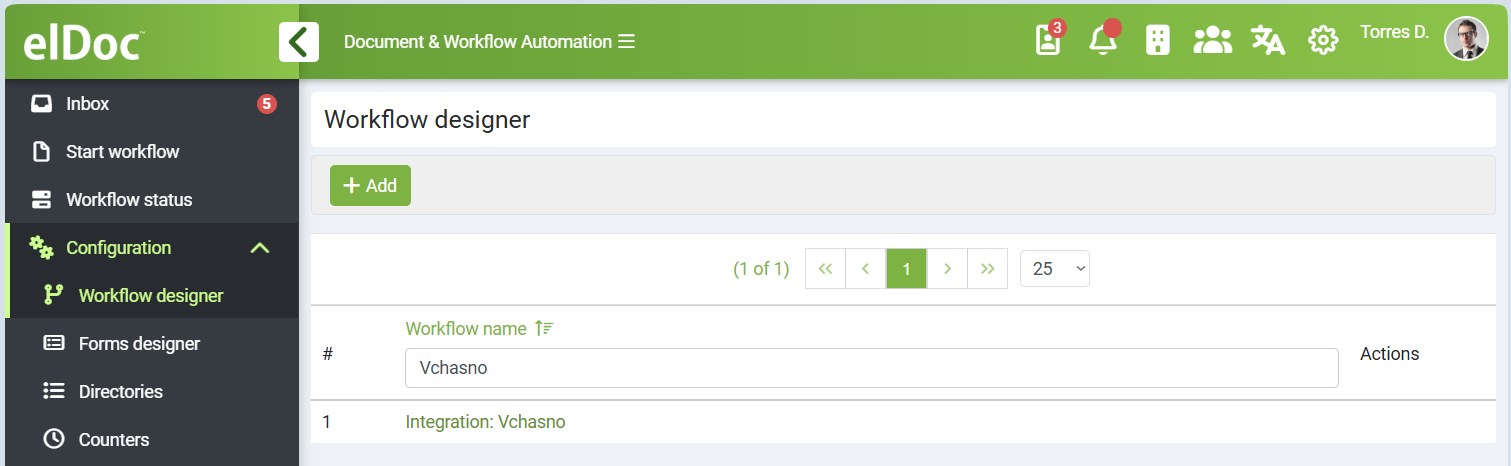
Upon enabling the Vchasno integration, the system creates a dedicated workflow specifically designed for this integration.
Purpose of the workflow:
Synchronizes existing documents from Vchasno into the system
Handles ongoing document synchronization logic
Ensures that documents imported from Vchasno follow a consistent lifecycle
This workflow is automatically configured and linked to the Vchasno integration. It should not be modified unless you fully understand the impact on document synchronization.
Created Document Form
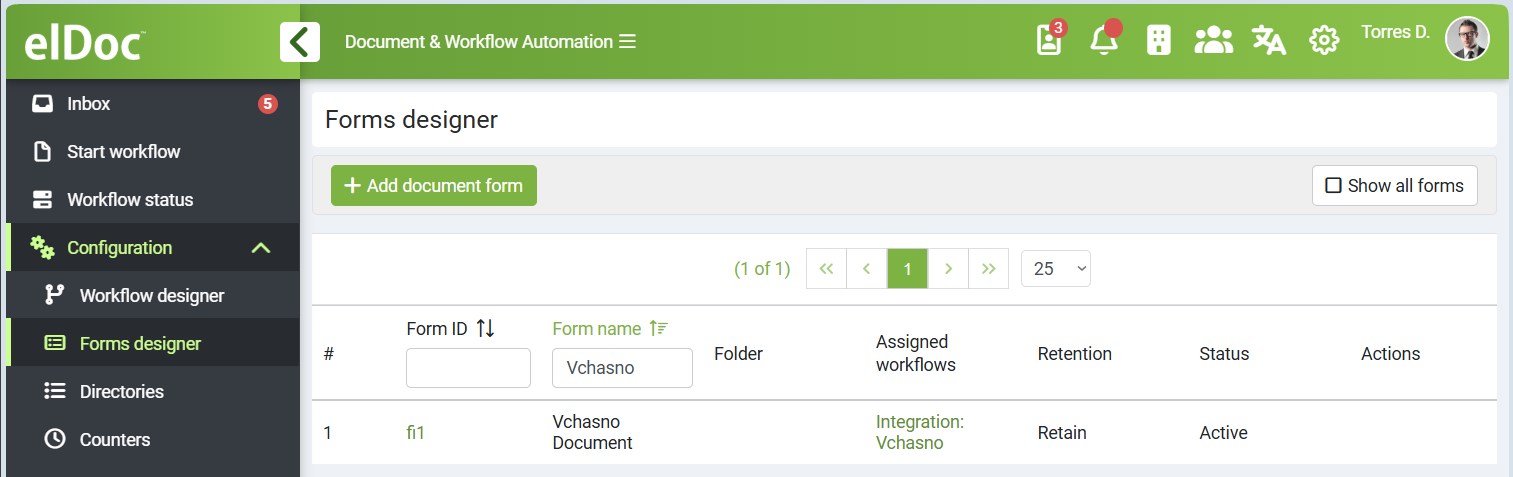
In addition to the workflow, the system also creates a document form used for displaying documents synchronized from Vchasno.
Purpose of the document form:
Defines how synchronized from Vchasno documents are presented in the system
Ensures that imported document metadata and content are displayed correctly
Serves as the default form for all documents created through the Vchasno integration
This form is automatically associated with documents synchronized from Vchasno and is reused for all future imports.
Notes
The workflow and document form are system-generated and tightly coupled with the Vchasno integration.
- Limited adjustments are allowed within the scope of fields that are explicitly editable.
For example, you may configure editable fields to define the default access permissions inherited by documents imported from Vchasno. Structural changes to the workflow logic are allowed as well, for example for adding Follow-up (Execution) Workflow Phase for documents imported from Vchasno.
In general no manual setup is required after enabling the integration.
Last modified: February 18, 2026